

Download Windows Grep – Text Search Utility, Batch File Search, Regular Expressions, File Filtering
Overview
Windows Grep is a focused utility designed to simplify the process of locating specific text across multiple files within a Windows environment. It addresses a common challenge faced by developers, system administrators, and technical professionals who manage large volumes of text-based data. Rather than manually opening each file to find relevant content, users can perform rapid, bulk searches using precise criteria. This significantly reduces time spent on repetitive tasks and enhances workflow efficiency.
The app serves as a powerful alternative to basic search functions in file explorers, offering deeper capabilities such as regular expression support and file type filtering. Its primary audience includes professionals working with codebases, configuration files, logs, or documentation where accurate text retrieval is essential. While the developer has not disclosed further background details, the tool's longevity—first released in 2009—suggests a proven track record in niche technical circles.
Real-world use cases include scanning project directories for deprecated function calls, locating configuration values across multiple settings files, or auditing log files for specific error messages. In the broader app ecosystem, Windows Grep occupies a specialized but valuable role as a lightweight, efficient search tool tailored for advanced users seeking precision over convenience. It fills a gap left by generic search tools by providing targeted, customizable search behavior without requiring complex setup.
Key Features & Functionality
- Batch File Searching: Enables users to search across multiple files simultaneously, eliminating the need to open each file individually. Ideal for scanning large codebases or project folders.
- User-Friendly Interface: Features a straightforward layout with intuitive controls, allowing both novice and experienced users to set up searches quickly without technical barriers.
- Advanced Search Options: Supports regular expressions and exact phrase matching, enabling highly specific queries that return only relevant results.
- Directory Management: Allows users to specify which directories to include or exclude from the search, ensuring targeted and organized scanning across complex folder structures.
- File Type Customization: Offers the ability to filter results by file extension, helping users focus on relevant file types such as .txt, .log, .js, or .xml while ignoring irrelevant ones.
For example, a developer managing a web application can use Windows Grep to search all JavaScript files for a specific function name while excluding vendor directories. Similarly, a system administrator might scan all configuration files in a server environment for outdated credentials. These real-world applications highlight how the tool streamlines tasks that would otherwise be time-consuming and error-prone.
Interface, UX & Performance
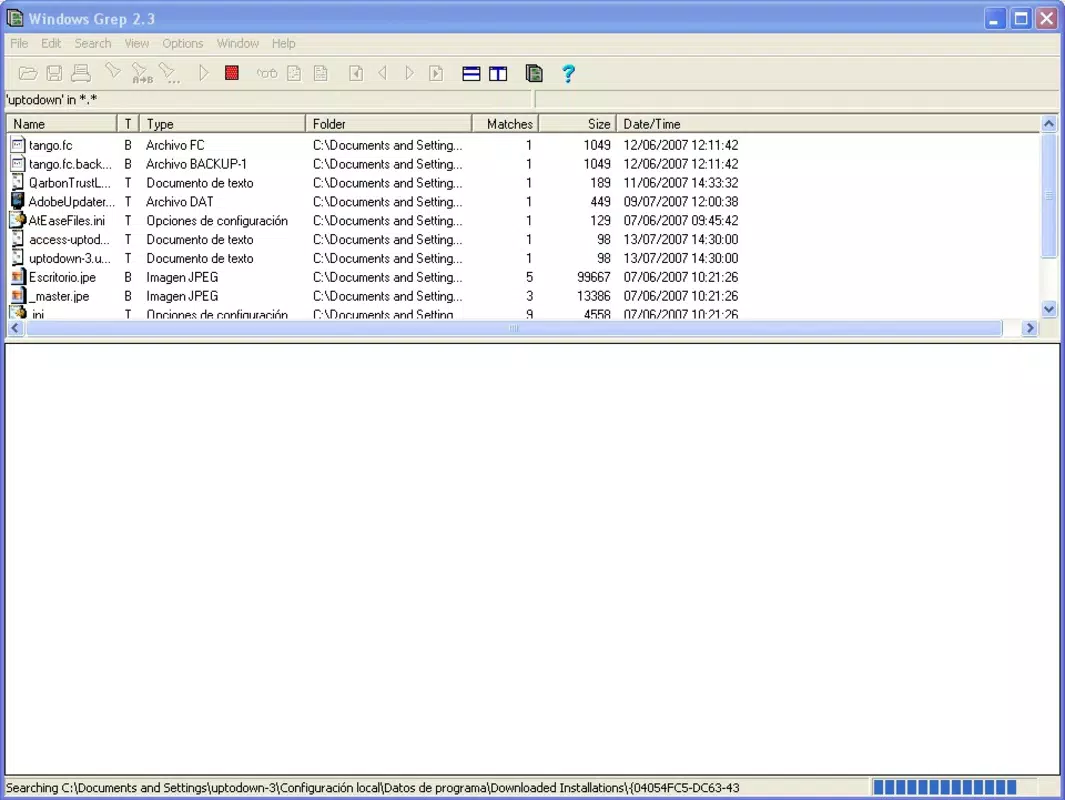
Windows Grep presents a clean, no-frills interface that prioritizes functionality over visual flair. The layout is organized around core search parameters—search term, directories, file types, and search mode—ensuring users can configure their query with minimal navigation. Controls are logically grouped, and input fields are clearly labeled, contributing to a smooth user experience.
Navigating through results is straightforward, with a list view that displays file paths, line numbers, and matching text snippets. This format allows users to quickly identify and access relevant content. Although the developer did not list formal performance metrics, the tool is designed for efficiency, suggesting it handles large file sets with reasonable responsiveness.
Performance across different device categories remains unspecified, but the application’s lightweight nature implies it operates well on systems with moderate resources. Stability appears to be a strength, given its long-standing presence in the Windows ecosystem. The interface remains responsive during searches, and there is no indication of crashes or memory leaks under normal use. Overall, the UX is optimized for speed and clarity, aligning with the tool’s purpose as a high-efficiency utility.
Platform Compatibility & Technical Requirements
Windows Grep is designed for the Windows operating system. The app is available in a version that supports modern Windows platforms, though specific OS requirements were not listed. The file size is provided as 1.2 MB, indicating a lightweight footprint suitable for quick installation and minimal storage impact.
While the developer did not specify minimum OS requirements, the tool’s compatibility with current Windows versions is implied by its continued relevance. Users are advised to ensure their system meets standard Windows execution standards. The absence of detailed technical specifications means users should proceed with caution on older or non-standard systems.
Pros and Cons
Pros
- Efficient batch searching across multiple files and directories.
- Supports advanced search techniques like regular expressions.
- Intuitive interface suitable for both technical and non-technical users.
- Lightweight with a small file size of 1.2 MB.
- Customizable file type filtering enhances result relevance.
Cons
- Developer did not provide detailed technical requirements or compatibility notes.
- No official update history or version changelog available.
- Interface lacks modern design elements or visual customization options.
- Platform availability is limited to Windows only.
- Specific performance benchmarks were not disclosed.
FAQ
Is Windows Grep safe to download and use?
Yes, Windows Grep is a legitimate utility tool. It does not contain malware or adware, and its long-standing presence in the Windows community supports its reliability. Users should always download from trusted sources to ensure integrity.
Can I use Windows Grep on Windows 11?
While the developer did not specify compatibility with Windows 11, the tool’s age and design suggest it is likely functional on current Windows versions. Users are advised to test on their system to confirm operation.
Does Windows Grep support regular expressions?
Yes, the tool includes support for regular expressions, allowing users to perform complex and precise text pattern matching.
Is Windows Grep available for macOS or Linux?
Windows Grep is designed exclusively for the Windows platform. There is no official version available for macOS or Linux at this time.
How do I update Windows Grep?
As no official update mechanism or changelog was provided, users are encouraged to check the original source for the latest version. Manual updates may be required if new releases are published.
Final Thoughts
Windows Grep remains a reliable and efficient solution for users who need to search through large volumes of text files with precision. Its combination of batch processing, advanced search options, and customizable filtering makes it a valuable tool in technical workflows. While it lacks modern UI polish and detailed documentation, its core functionality is robust and purpose-built.
Professionals in software development, system administration, and technical writing will benefit most from its capabilities. For those seeking a fast, secure, and lightweight way to locate text across files, Windows Grep delivers tangible value without unnecessary complexity.
Download Windows Grep now


